
Media search improvements · Safe-zone indicators · Photoshop plugin improvements
Media search — search by platform name or size
The size selector and the media guide support the following searches.
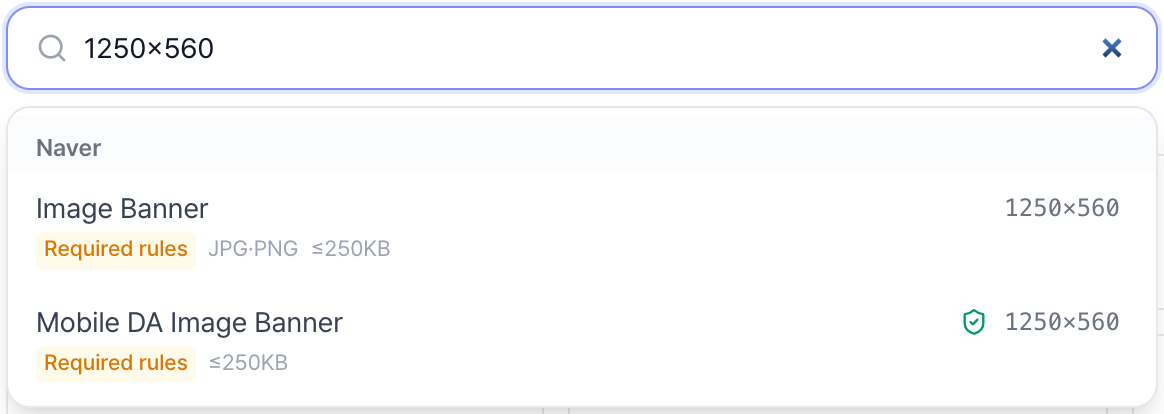
- Size search: type "1250x560" to find placements with that spec. "1250 x 560", "1250×560", and "1250*560" are all recognized.
- Number search: type "1080" to find placements whose width or height is 1080.
- Ratio search: queries in the "9:16" format are supported.
- Platform search: aliases are recognized, and combined queries like "kakao 500x500" return only placements matching both conditions.
Safe-zone indicators
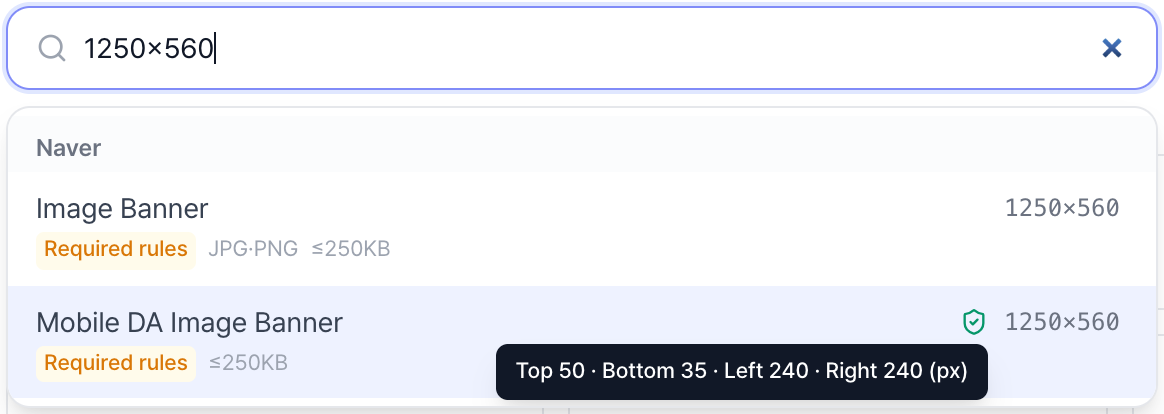
Placements with and without safe-zone specs are listed separately, even at the same size. A shield icon marks placements with a safe zone; hover it to see the exact margins. Resizing respects the safe zone so text and logos are not cropped.
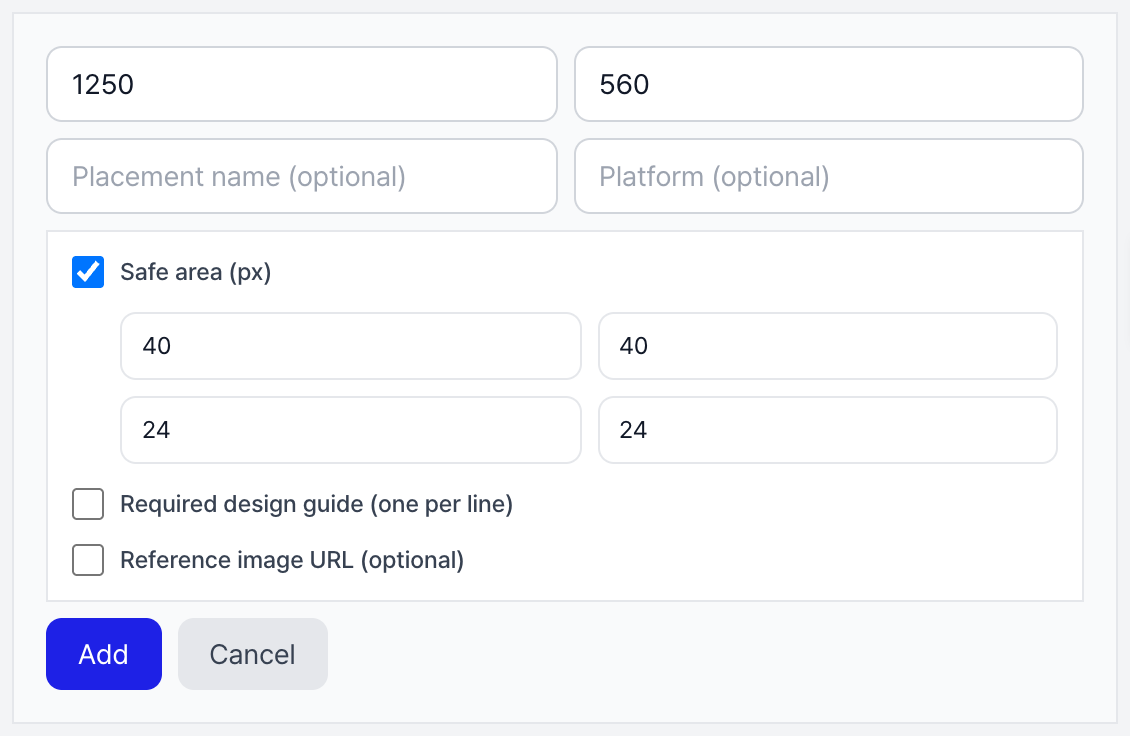
Safe-zone margins can also be set on custom sizes.
Photoshop plugin — target selection changed
Target selection changed from artboard auto-detection to an explicit flow: click the artboard in Photoshop, then press the [Import selected frame] button in the panel. This resolves cases where an unintended area was captured.
Layers, groups, and smart objects are also supported; selecting several captures them as one combined area.
Run multiple jobs concurrently
A new job can be started while a resize job is still running. Per-job progress is shown at the bottom of the panel, and finished results are inserted as artboards in order.
Other improvements
- Results are placed next to the selected artboard in order, and artboards are auto-named using the "platform_placement_WxH" convention.
- Results are inserted into the original document even if you switch to another PSD while generating.
- 15 new platforms and 37 new placements were added to the media guide. Each placement shows the date its spec was last verified; the change history is available on the page below.