
Google Ads Account Missing in Cafe24: Don't Create a New One
Imagefactory Engineering · Published 2026-09-09 · Updated 2026-09-18
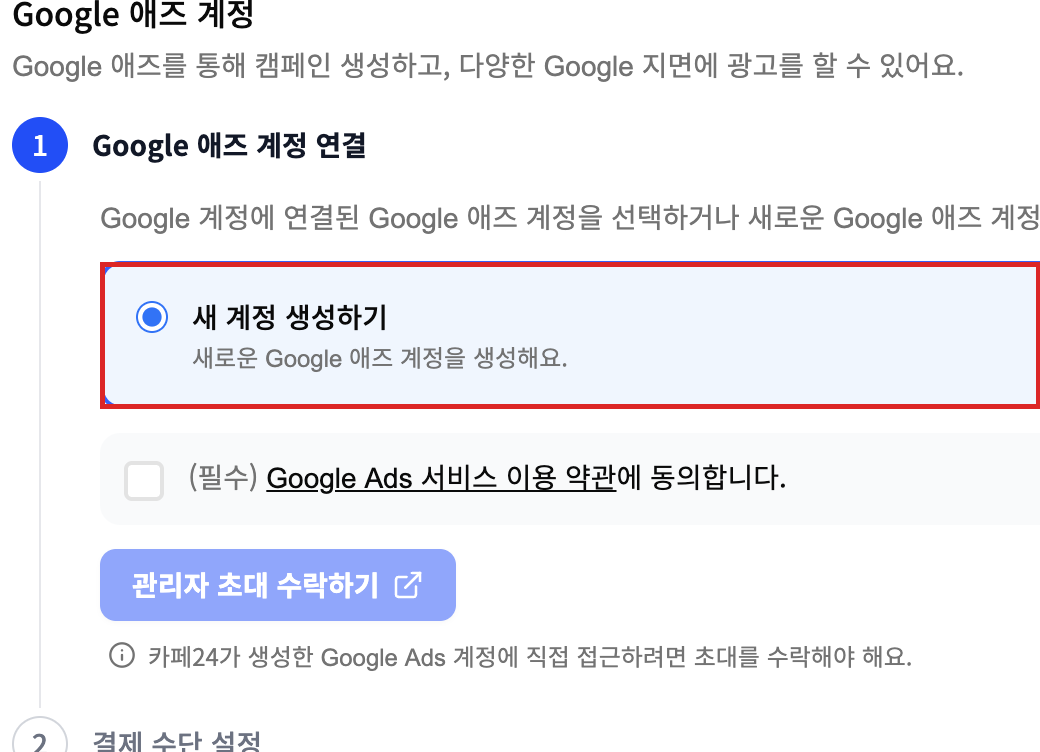
If the Google Ads step in Cafe24's Google & YouTube settings only offers "Create a new account" and your existing ad account is missing, don't create a new one. Have the ad account's admin invite the Google account linked to Cafe24 as a user, accept the invitation, and reopen the Cafe24 screen. Your existing account will appear. Let's follow the screens below.
Why doesn't my ad account show up?
The Google account linked to Cafe24 isn't registered as a user on the ad account. Have the ad account's admin invite that Google account as a user.
1) Sign in to Google Ads as the ad account's admin
Go to ads.google.com with the Google account that created the ad account. If several accounts appear, open the one you want to link to Cafe24.
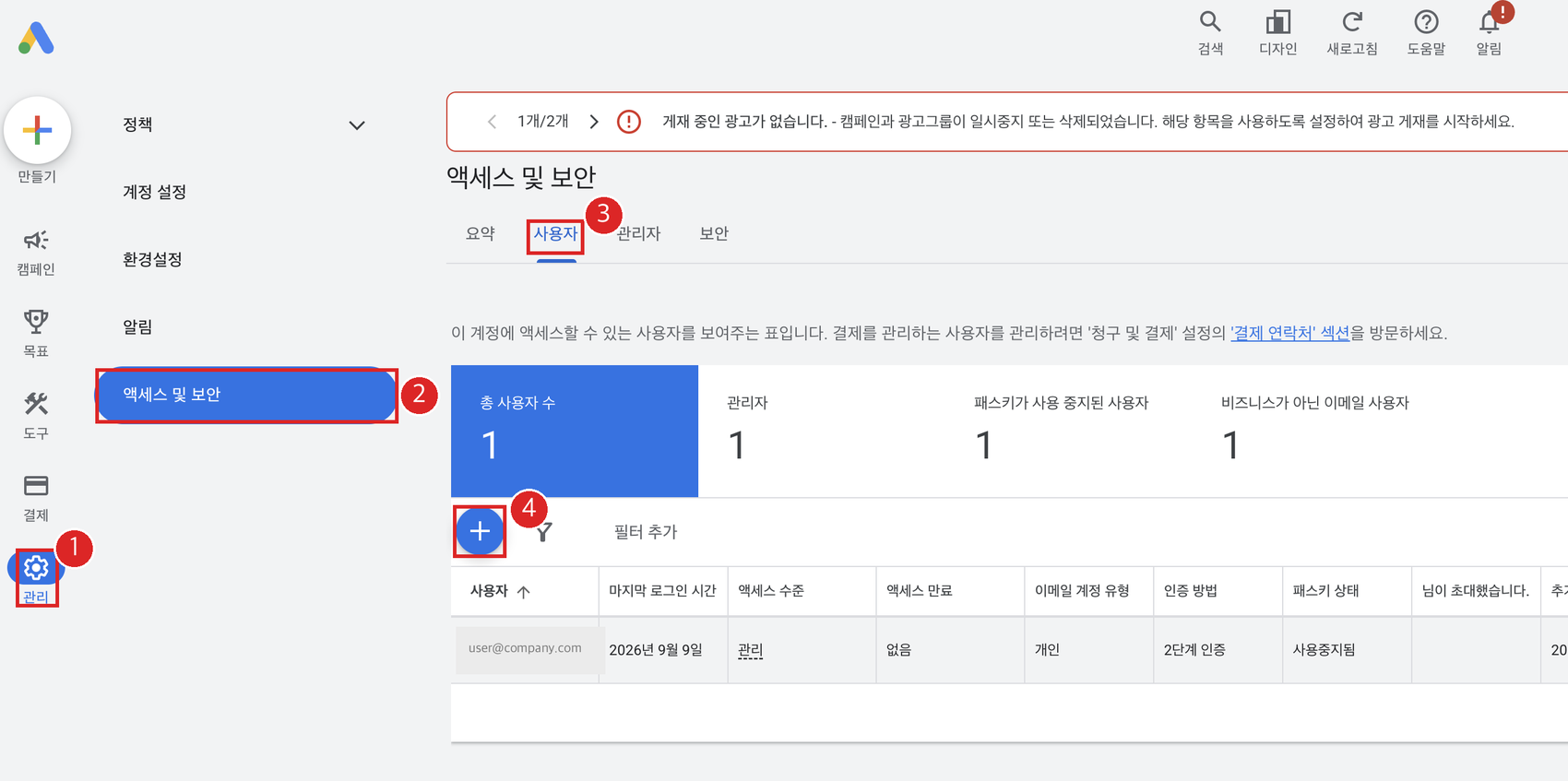
2) Admin → Access and security → Users tab → plus button
Open Admin (the gear at the bottom of the left menu) → Access and security → Users tab, then click the blue plus button.
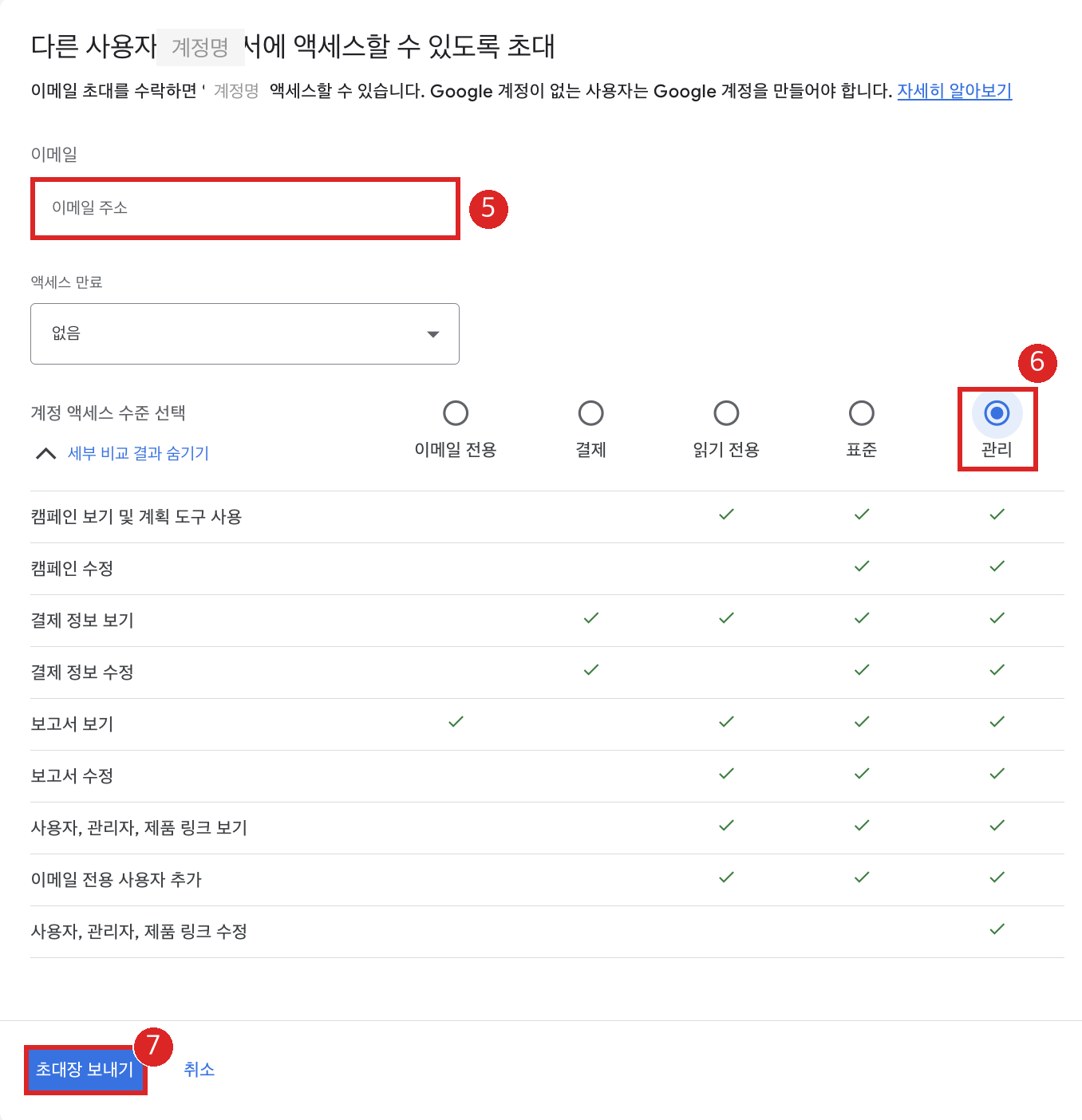
3) Invite the Google account linked to Cafe24 with Admin access
Enter the Google account shown under Connected accounts in Cafe24's Google & YouTube settings. Set the access level to Admin and access expiry to None, then click Send invitation.
4) Accept the invitation from the invited account's inbox
Open the Google Ads invitation email in the invited Google account's inbox, click the button and sign in with the same Google account. If the email is missing, check spam and other Google inboxes.
5) Reopen Connect in Cafe24 and pick the existing account
Back in Cafe24 admin → Google & YouTube → Settings → Google Ads Connect, select the existing ad account that now appears above Create a new account, agree to the terms and continue.
Once linked, switch on Google Ads conversion tracking tag on the same settings screen, set the event method to browser + server, and save. The seven automatic events and how to keep only Purchase as a primary goal in Google Ads are covered in Cafe24 Google Ads conversion tag.
Checklist
| What to check | Screen | Expected |
|---|---|---|
| Google account linked to Cafe24 | Cafe24 → Google & YouTube → Settings → Connected accounts | This is the account to invite |
| Ad account users | Google Ads → Admin → Access and security → Users | The account above appears with Admin access |
| Invitation status | Pending invitations on the same screen | Nothing shows in Cafe24 until accepted |
| Cafe24 link result | Cafe24 → Google & YouTube → Settings → Google Ads | Shows Connected with the ad account number |
Three things that commonly go wrong
I already clicked Create a new account. Disconnect Google Ads in Cafe24 settings, finish the invitation above, then reconnect choosing the existing account. Cancel the extra account in Google Ads.
The invitation email never arrived. Check that the invited address matches the account linked to Cafe24, then look in spam and in other Google inboxes.
Can't the agency send the invitation instead? The ad account admin can make the agency's manager account the administrative owner under Access and security → Managers; after that the agency can handle it. Agency access itself is covered in How to give an agency access to Google Ads, and the Cafe24 side in Creating a Cafe24 sub-operator account.