
Practical Ad Creative Guides
Direct answers to the questions ad production actually asks — sizes, safe zones, text handling, automation.
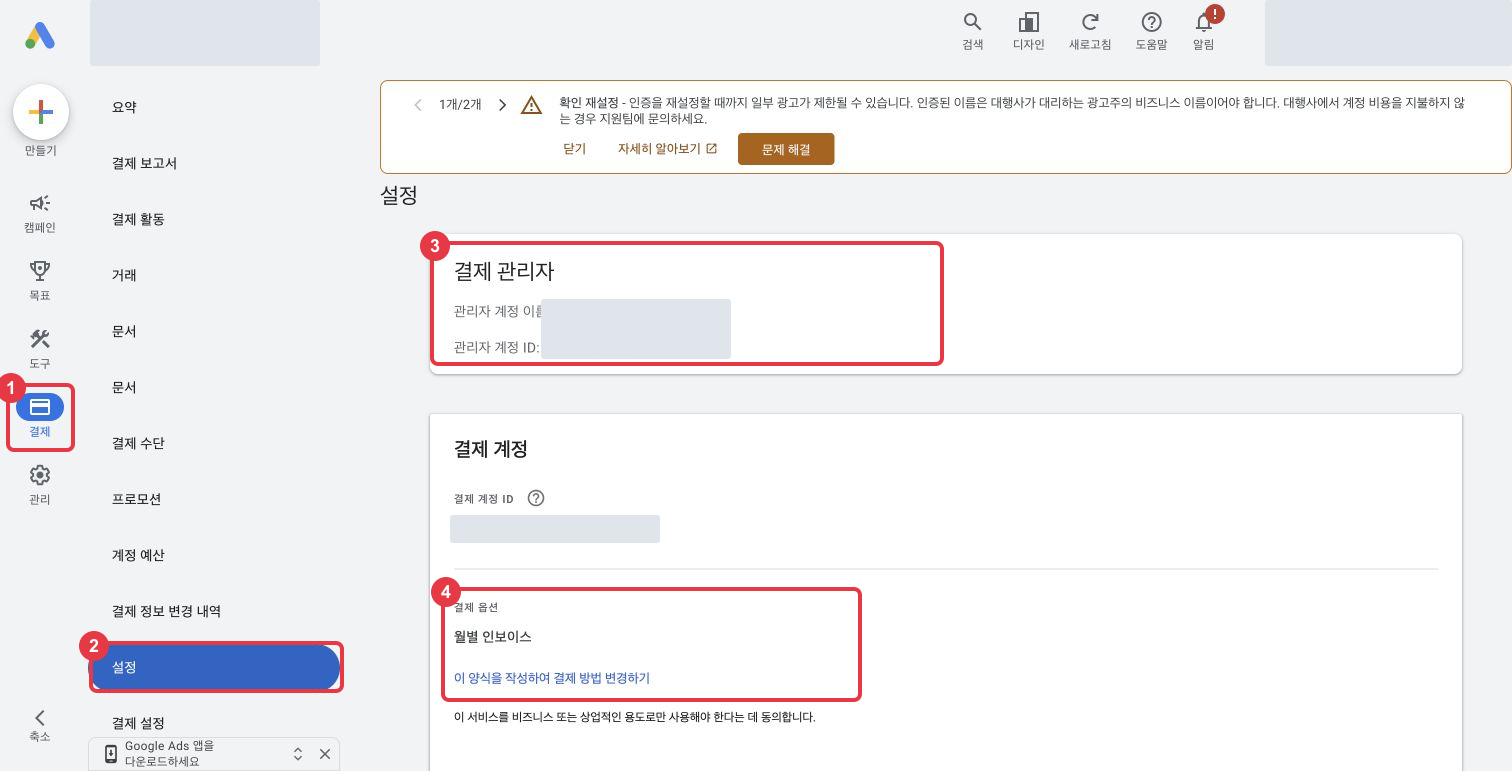
Switch Google Ads Agency Billing to the Advertiser’s Card
Move Google Ads billing from an agency to the advertiser’s card. Follow screenshots for the billing change, advertiser details, card setup and completion checks.
Upload Naver GFA Performance Reports to Your Dashboard
Naver GFA has no open API, so export the performance report at campaign level by day with purchase columns and upload the zip as is. Covers the 62-day limit and VAT.
Handing Ad Accounts to an Agency: Meta, GTM and GA4 at Once
The checklist to send a client before an agency takes over: what to collect first, the access level to grant on Meta, GTM and GA4, and how to revoke it.
Granting Meta Ad Account Access — Partner vs. Person
Two ways to grant access in a Meta business portfolio: add the agency as a Partner by business ID, or invite an individual as a Person. Which to use.
Granting Google Tag Manager Access — Account vs. Container
GTM permissions come in two layers. An agency needs account-level User plus container-level Publish, not account Administrator. Menu path and levels.
Granting GA4 Access — Property-Level Editor, Not Account Admin
GA4 access is granted at account or property level, and account level cascades to every property. The five roles, two data restrictions and menu path.
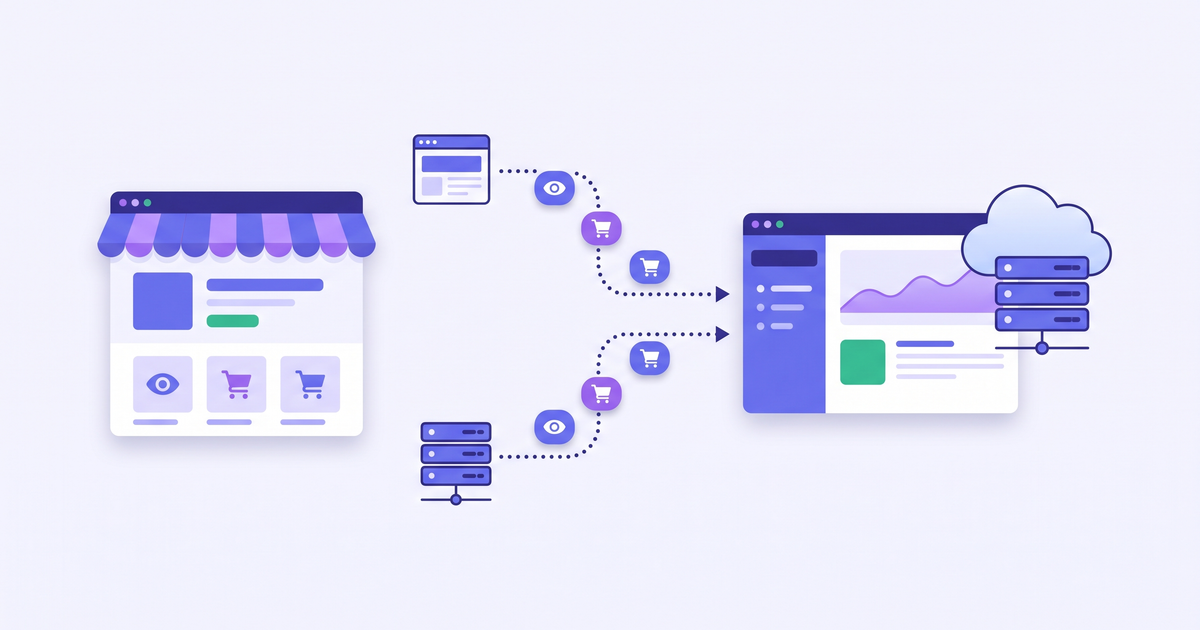
Cafe24 Meta Pixel and Conversions API: Browser + Server Setup
Connect the pixel through Cafe24's Facebook channel app and save the connection as browser + server. Covers the automatic events, Naver Pay condition and test events.
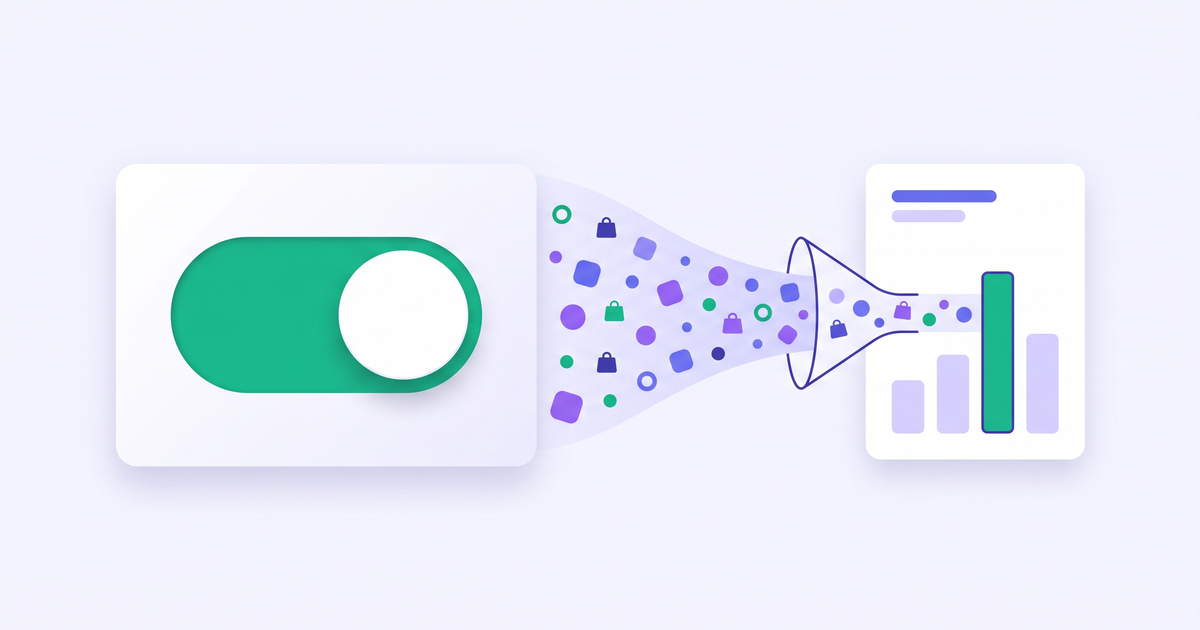
Cafe24 Google Ads Conversion Tag: App Toggle and Primary Goal
Turn on the Google Ads conversion tag in Cafe24's Google & YouTube app, pick browser+server events, then keep only Purchase as a primary goal in Google Ads.
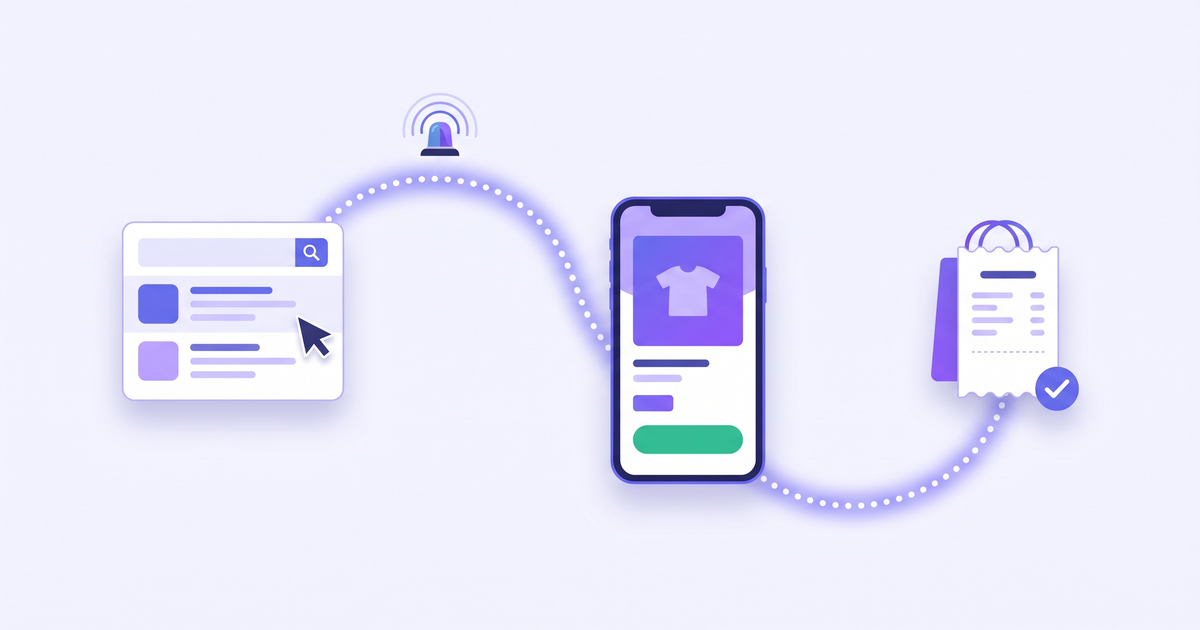
Naver Ads Conversion Tracking on Cafe24: Common Key Setup
Apply in the Naver Ads Center, register the common key under Cafe24's Naver Pay settings and confirm the In-use status. Covers the four automatic events.
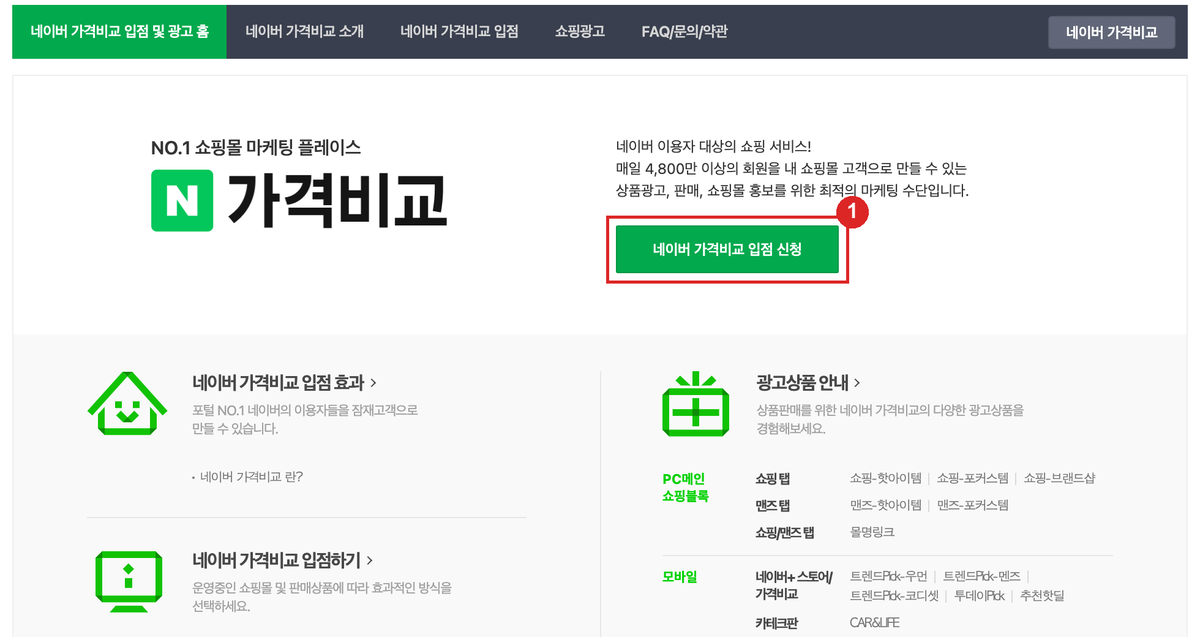
Let's Get Your Own Store into Naver Shopping Search
Your own store must join Naver Shopping Partner Center on the CPC package to appear in Naver Shopping. Documents, review, product DB URL and prepaid balance in 5 steps.
Google Ads Account Missing in Cafe24: Don't Create a New One
Cafe24 only offers Create a new account when the Google account linked to Cafe24 isn't a user on your ad account. Invite it as Admin, then pick the existing account.
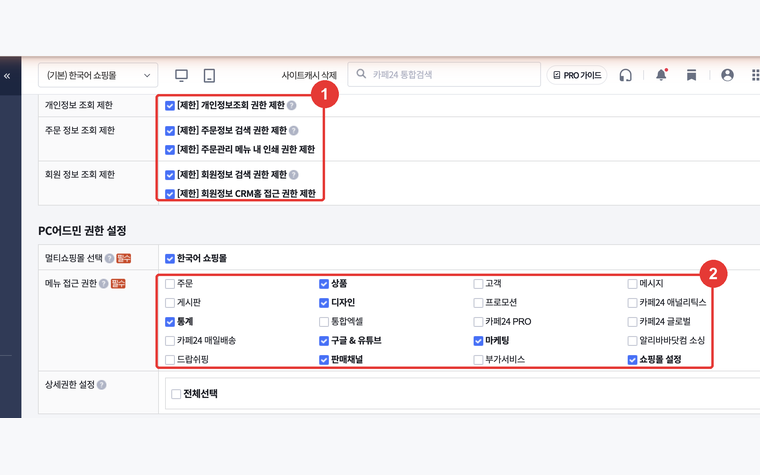
How to Create a Cafe24 Sub-Operator Account for Your Agency — Menus to Open for Conversion Tracking and SEO
Don't share your master login. Register a sub-operator, restrict personal-data menus, and open only the seven menus an agency needs for pixel and tag setup, product feeds, and SEO. Screens included.
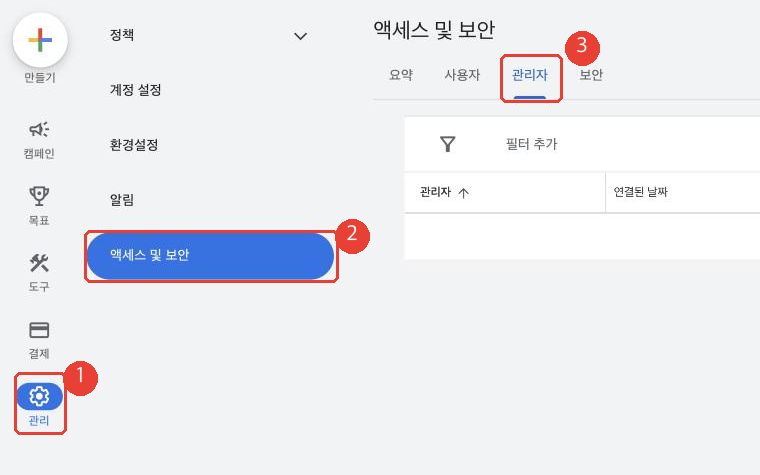
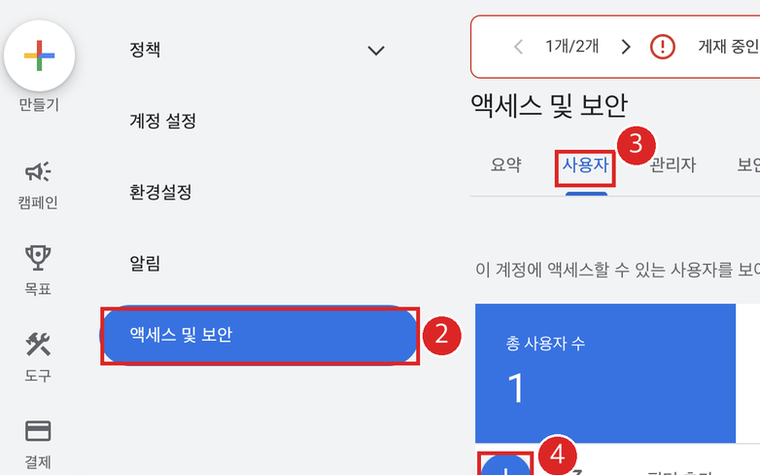
How to Give an Agency Access to Google Ads — Manager Account Link vs. User Invitation
Approve a manager-account (MCC) link request instead of sharing your login. Where to find your customer ID, how to accept under Access and security, which access level to give, and how to revoke.
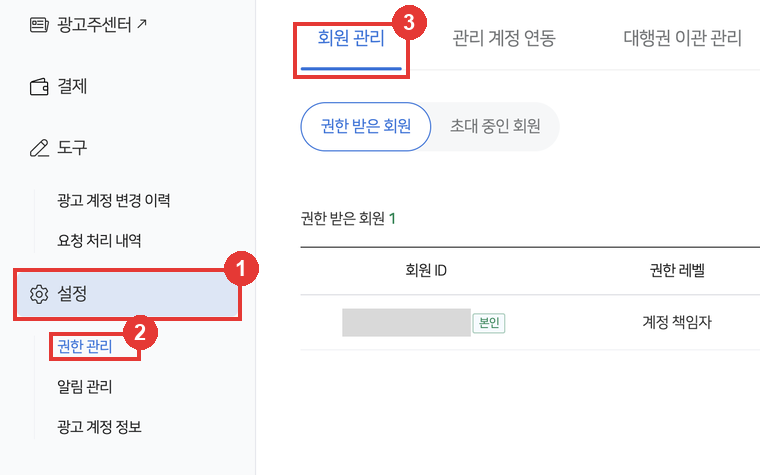
Naver Ads Agency Access: Manager Link or Member Invite
Approve the agency's manager-account link request in the Naver Ads Center, or invite its contact as an Operations manager. Both flows with screenshots, plus revoking.
Fixing Garbled Korean Text in AI Ads — a 3-Step Procedure
A directly applicable 3-step fix for garbled Korean in AI-generated ads: generation rules, preservation-based size adaptation, and a review order that catches what matters first.
Story
Reels
Instagram Story & Reels Ads: Where Text Is Actually Safe — in Pixels
Stories lose the top 14% and bottom 20% to UI; Reels lose up to 35% at the bottom. Safe-area pixel values at 1440×2560 and placement rules for text and CTAs.
Bulk Banner Resizing — Cutting Size Adaptation to 10 Minutes
The right structure is "one master → batch adaptation", not "remake per size". The four requirements for bulk resize automation and an operations checklist.
Automating Banner Resize in Figma — Size Adaptation Without Leaving Your Design Tool
Where manual Figma adaptation breaks down (constraints only stretch), and the plugin flow: pick a master frame, choose placements, get platform-spec results.
Editing One Element with AI — Without Everything Else Changing
Why models repaint the whole canvas even for a small edit, and the instruction pattern that took apply-rate from 0% to 100% in our tests: location, appearance, and the after-state.
Every Image Size You Need for Meta Ads — Feed, Story, Reels, Carousel
The image sizes a Meta campaign actually needs, by placement: recommended dimensions, ratios, safe zones and carousel rules on one page.
Creative Adaptation, Versioning, Variations — Ad Production Terms, Untangled
Resize, size adaptation, creative versioning, variations, creative refresh — what each term actually means in practice, and which ones automation handles best.
Canva Magic Resize vs Imagefactory — Which Fits Ad Size Adaptation?
The structural difference: Canva Magic Resize moves an editable Canva design to another canvas; Imagefactory adapts a finished image to platform specs with safe zones applied.
Korean Banner Automation Tools Compared — VCAT, VariAid, Imagefactory
Three different starting points for the same problem: URL-based generation, spec-template tools, and finished-image adaptation. How to choose by situation.
Try it on your own creative
One master creative becomes every placement size — with the text preserved exactly. 14-day free trial.
Get started free